


Scanning Files to Email at a Low Resolution

Jan 09, 2026
 208
208
When scanning files to email, please select the lowest quality setting to ensure the ability to download and upload files to systems. (ex: IEP etc, email)
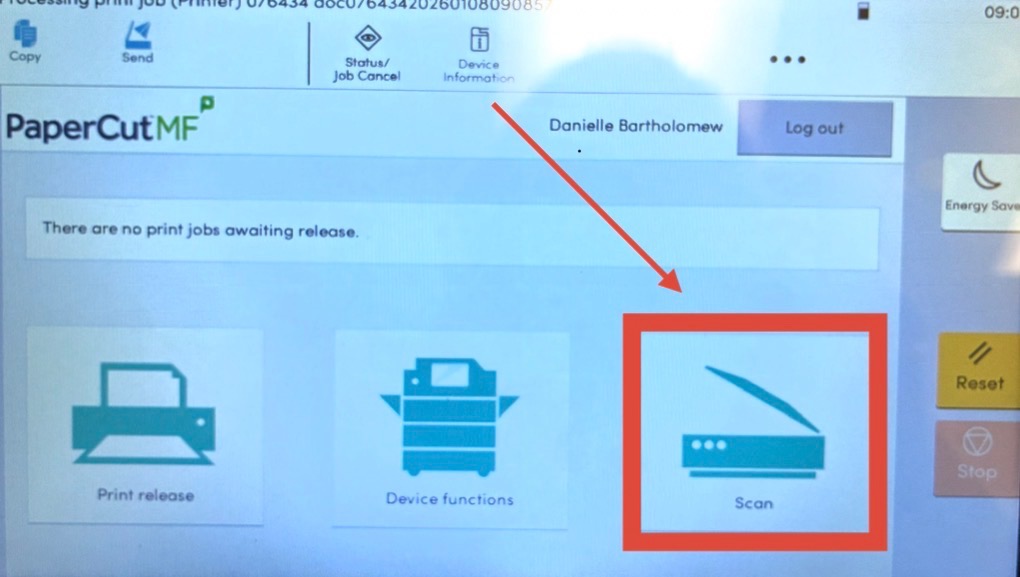
1. Sign into the printer with your user ID and select "Scan".
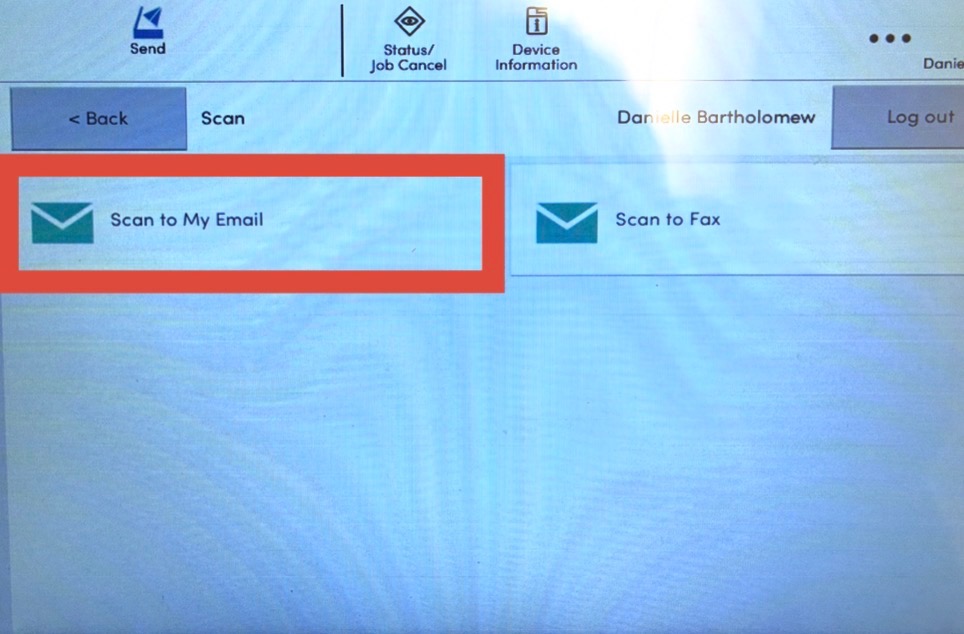
2. Select "Scan to my email"
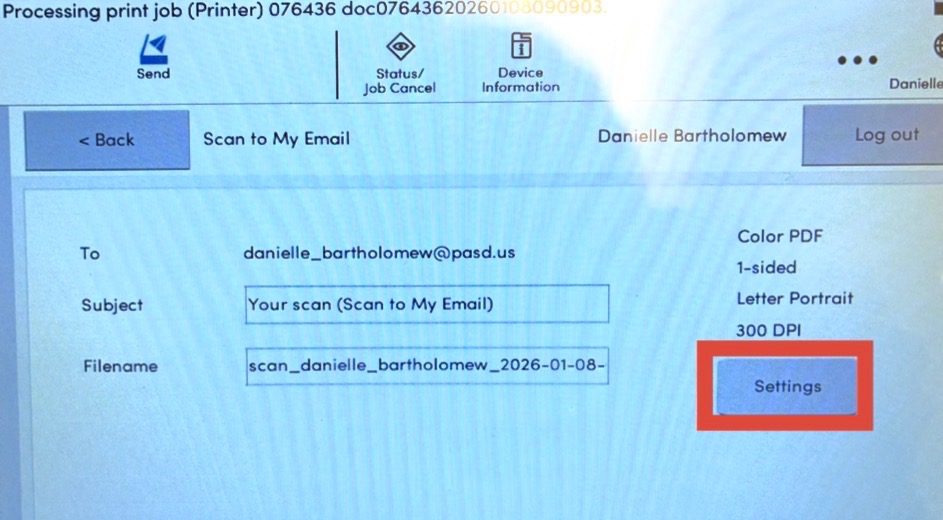
3. Select "Settings"
4. Change the DPI to 200 instead of 300. This will allow the document to be in a lower-resolution format so our systems can be downloaded and uploaded.
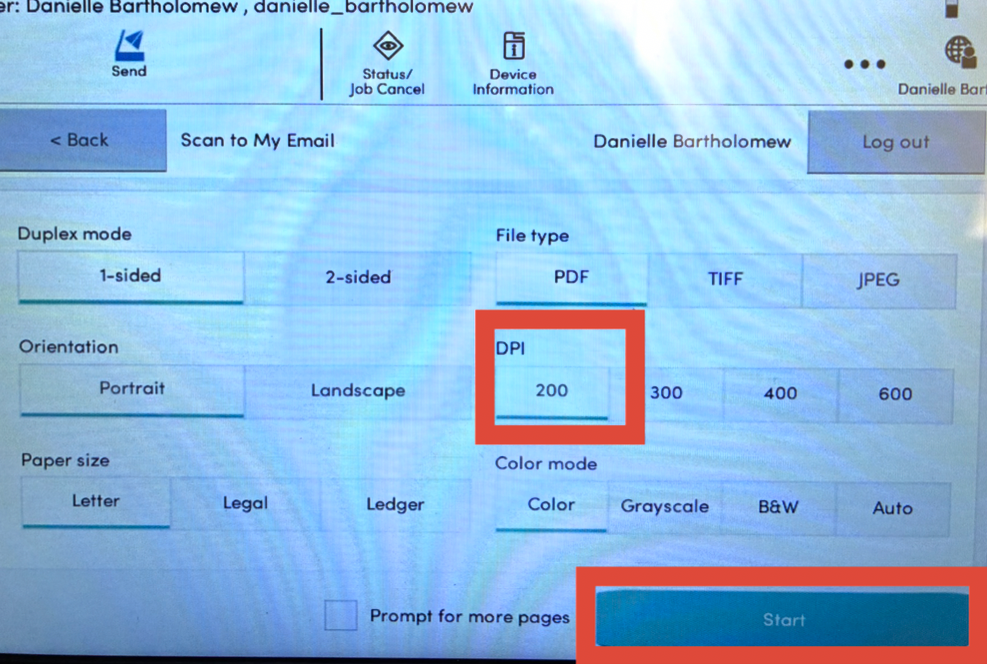
5. Press start. This will initiate the scan and send it to your email.

